
Design system
Light editorial, one accent, high contrast. Everything below is rendered with the live site's own classes and components, so this page is the source of truth.
Color
Three colors and their tints. Blaze is used sparingly, never as a large fill.
#F1F2F3
bg-paper · text-paper
Page canvas and light sections. The default background.
#1C1C1C
bg-coal · text-coal
Text, hairline rules, dark sections, solid buttons, footer.
#F0682C
bg-blaze · text-blaze
The only accent. Highlighted words, primary buttons, small bars and bullets.
Supporting tints
Contrast (WCAG)
Coal on Paper
AAA · Body and headlines
Paper on Coal
AAA · Dark sections
Blaze on Coal
AA · Accent words on dark
Blaze on Paper
Below AA · Display-size accent words on light. Below 3:1, so never for small text
Coal on Blaze
AA · Primary button label
White on Blaze
AA Large only · Avoid for text
Typography
One family, Stack Sans Headline, in four weights. Tight tracking, tight leading, sentence case.
Family
Aa Gg 0123
Light 300Regular 400Medium 500Semibold 600
Display .display
500 · 0.94 · -0.04em · clamp(42px, 7.6vw, 124px)
Move Fast
Page hero headlines, closing CTA
Heading 2 .h2
500 · 1.0 · -0.035em · clamp(34px, 5.4vw, 84px)
For teams that live in PowerPoint.
Statement headlines inside sections
Heading 3 .h3
500 · 1.02 · -0.03em · clamp(26px, 2.7vw, 40px)
Master Template Converter
Card and column titles
Section title .section-title
500 · 1.0 · -0.035em · clamp(26px, 3vw, 44px)
Industry breaking products
Labels that open a section
Lede .lede
400 · 1.45 · clamp(17px, 1.5vw, 21px)
Master Template develops workflow software designed specifically for presentation design teams, creative departments, and consulting organizations working at scale.
Body
400 · 1.6 · 16–17px
Teams copy content into a new file, then adjust every table, graph, line weight, text box, image, color, and layout detail by hand.
Eyebrow .eyebrow
500 · uppercase · 0.08em · 12px
Try Today · Maya Chen, Creative Operations Lead
Attributions, small links, metadata. Never for section headers.
Accent word .accent
color: blaze
Enterprise tools for teams that move fast
One phrase per headline, at large sizes only.
Layout
A 1360px container with fluid gutters, a 12-column grid, and hairline rules to divide sections.
Container · .wrap
Max width 1360px. Gutter is 20px on mobile and 32px from 768px up. Sections use 64px vertical padding on mobile and 112px on desktop.
12-column grid
Breakpoints
Mobile
< 768px
One column, overlay menu
md
768px
Multi-column grids begin
lg
1024px
Desktop nav, product hero grid
xl
1280px
Wider hero columns
Hairlines
.rule-t / .rule-b — 1px coal, opens and closes sections and grids
Inside .on-coal — 35% paper
Components
Patterns built from the tokens above. Reuse these instead of inventing new ones.
Section header + column grid
Slide content conversion
Move content from an existing PowerPoint slide into the template and styling of another deck.
Less manual cleanup
Reduce the tedious work of adjusting tables, graphs, line weights, and text styles.
Converted PPT output
Get a converted PowerPoint file your team can review, polish, and send forward.
List rows
- Marketing teams refreshing campaign decks
- Finance teams updating recurring reports
Bullets
- Convert one deck into another template
- Reduce slide by slide rebuild work
Media frame
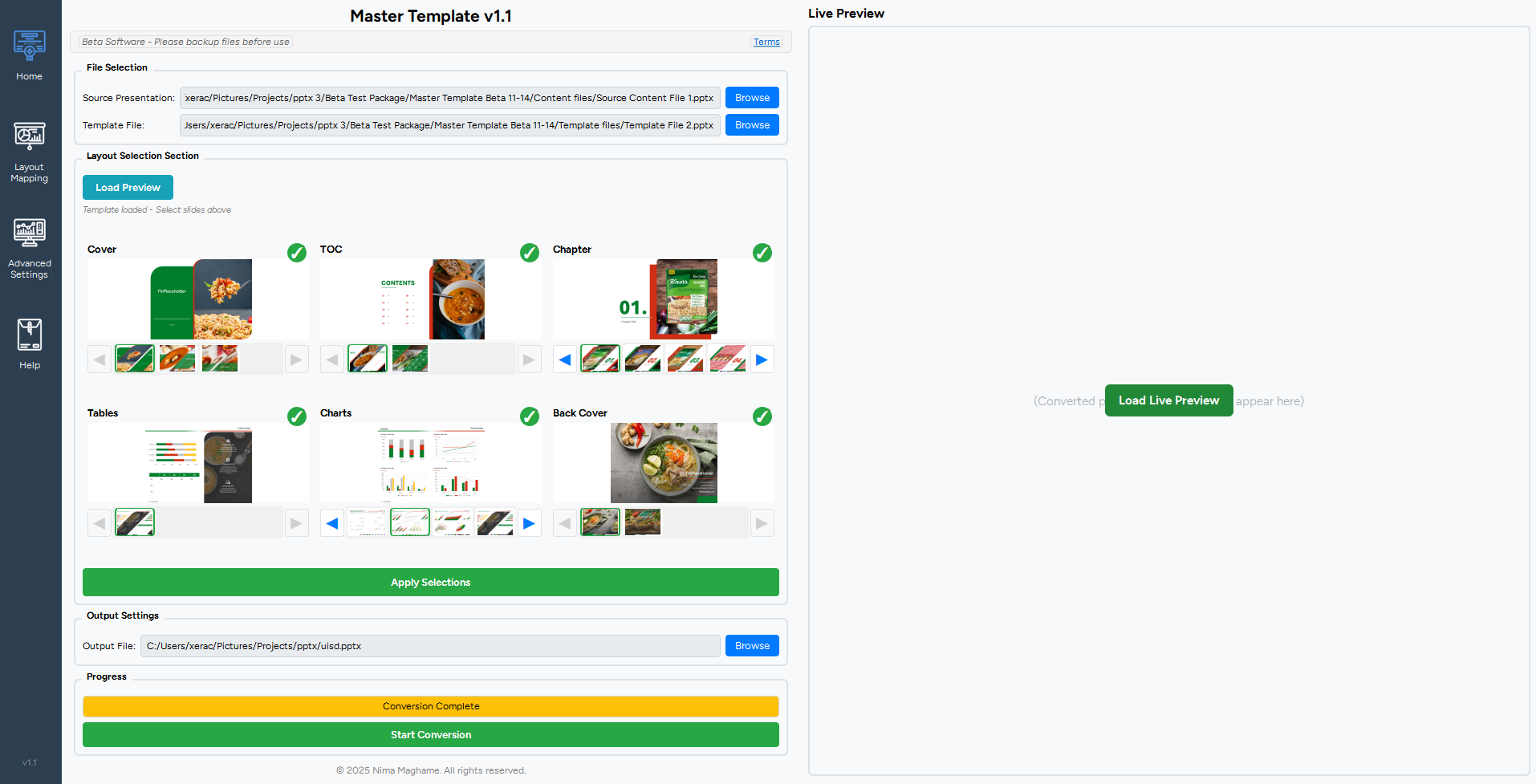
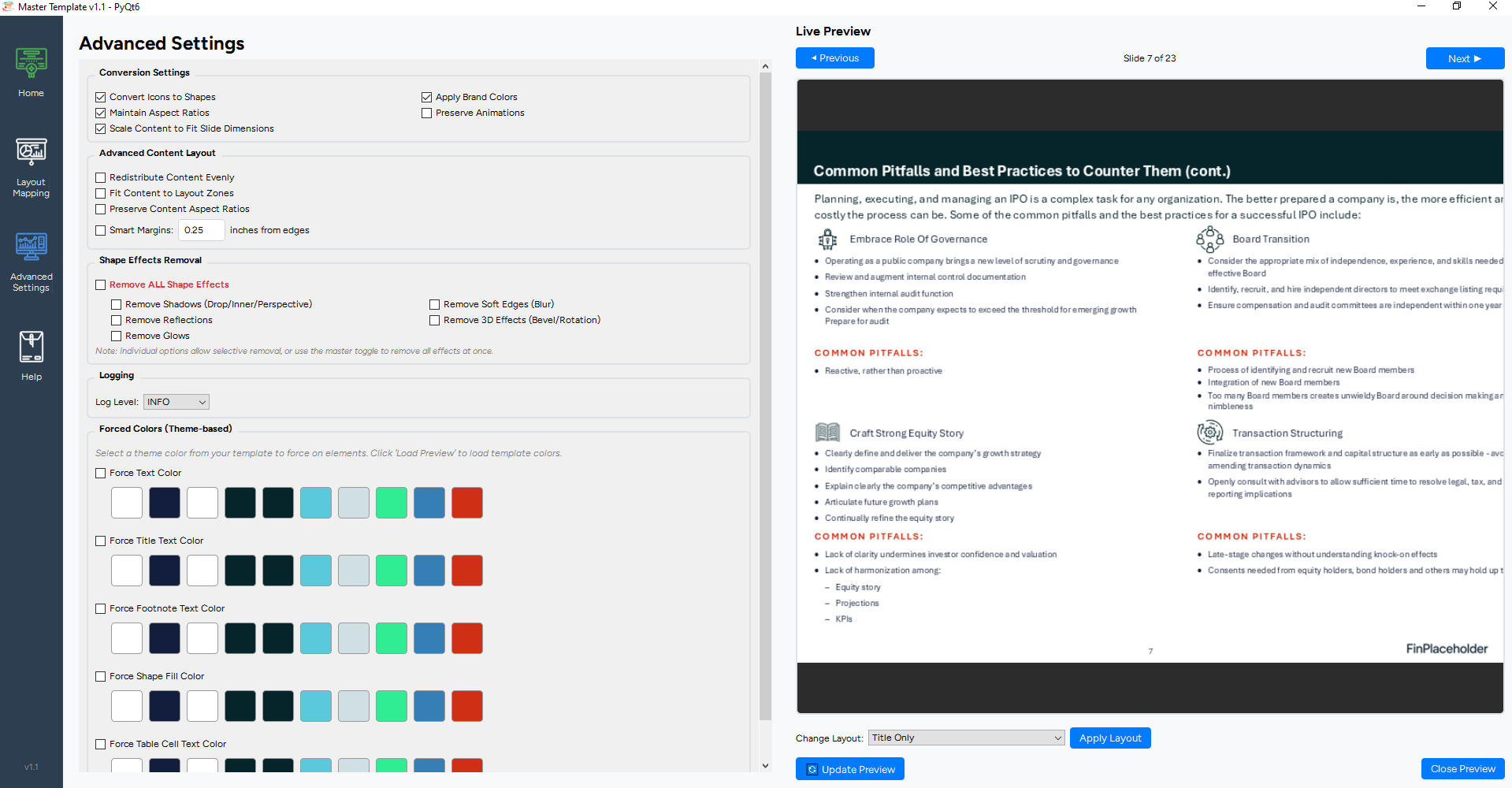
Coal frame, 12px padding, 1.65 ratio. Hover zooms the image.
Form fields
Underline only. The line thickens and turns blaze on focus.
Dark section · pull quote
“Finally, a platform built specifically for presentation teams.”
Morgan Ellis, Creative Operations Director
Motion
Refined and quick. Everything is disabled for visitors who prefer reduced motion.
Scroll reveal
Elements rise 28px and fade in over 0.8s once, with 60–240ms staggers. <Reveal>
Underline wipe
A 1px line draws across links in 0.3s. .link-wipe
Arrow nudge
Arrows travel 3px up and right on hover. .arrow
Image zoom
Media scales to 1.035 over 0.9s on hover. .zoom
Marquee
Client logos scroll continuously over 40s and pause on hover. .marquee
Menu overlay
Full-screen coal overlay fades and slides in over 0.5s below 1024px.
Hover me
Scroll this section into view to see a reveal.
Rules
The short list that keeps the site consistent.
Do
- Use coal on paper or paper on coal. Contrast stays above 15:1.
- Keep blaze to small accents and one highlighted phrase per headline.
- Set headlines tight (leading under 1.05, tracking negative).
- Divide sections with hairlines instead of boxes and shadows.
- Keep interactive targets at least 44px on touch.
Don't
- Fill large areas with blaze, or put white text on it.
- Add gradients, shadows, or rounded corners (except the product-hero screenshot frame).
- Number things for decoration. Number only true sequences, like workflow steps.
- Use small uppercase for section headers. That is the eyebrow style.
- Introduce new colors or typefaces.